
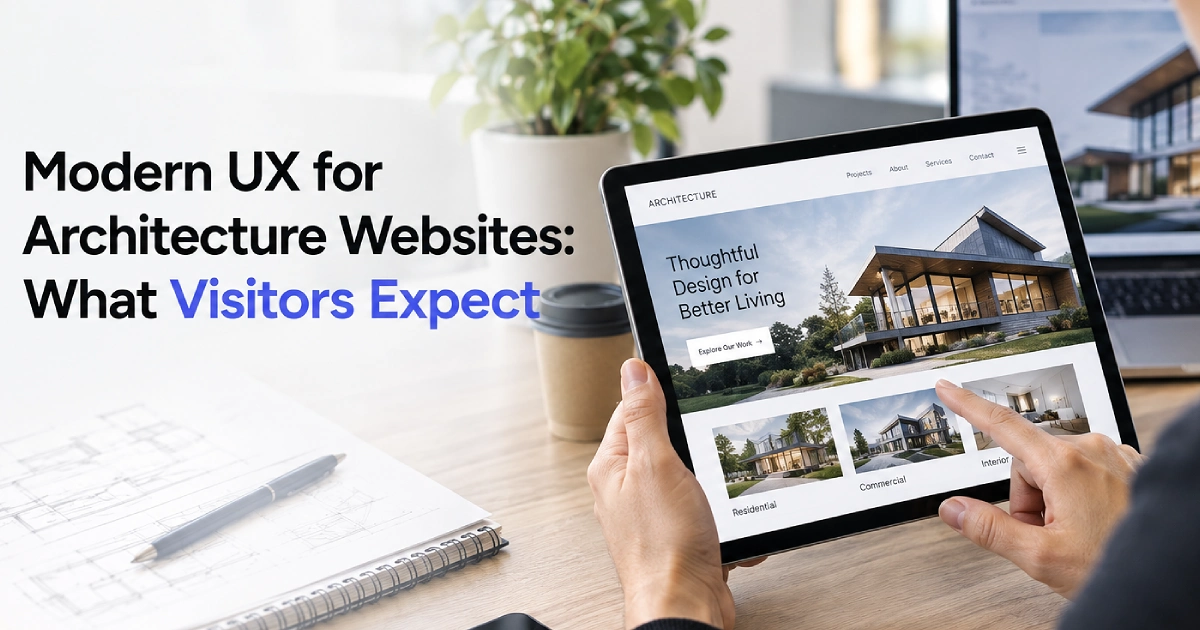
Modern UX for Architecture Websites: What Visitors Expect in 2026
Architecture websites have a unique challenge. They need to showcase highly visual work while making it easy for potential clients to understand services, explore projects, and get in touch.
In 2026, visitors expect more than an attractive portfolio. They expect websites to load quickly, work smoothly across devices, provide clear information, and make it easy to complete important actions. For architecture practices, user experience is closely connected to branding, lead generation, search visibility, and business development.
An effective architecture website balances visual storytelling with practical usability, helping visitors understand the firm’s work without sacrificing performance or clarity. Here are the core UX priorities architecture firms should consider in 2026.
Why UX Matters for Architecture Websites
The website is often the first formal touchpoint a prospective client has with an architecture firm. A visitor may arrive through Google search, a professional referral, an industry publication, social media, or direct brand searches.
Once on the site, visitors want fast answers to core questions:
- What specific typologies does the firm specialize in?
- What scale of projects does it handle?
- Where does the firm practice geographically?
- Has it completed projects similar to mine?
- What architectural and planning services does it provide?
- How can I easily contact the firm?
A strong user experience makes these answers easy to find.
Complicated navigation, slow project galleries, abstract messaging, or cumbersome forms can cause visitors to leave before reviewing the firm’s work. A clear user journey reduces friction and can support more inquiries and consultation requests.
Prioritize Visual Storytelling Without Sacrificing Usability
Architecture is visual by nature. High-resolution photography, renderings, drawings, site plans, and video presentations communicate capabilities far better than dense text. However, visual assets should support usability rather than interfere with it.
Strong visuals paired with concise supporting information create a more effective experience than visuals alone. For more insights on evolving aesthetic standards, explore current architecture website design trends.
Use Visuals with Clear Purpose
High-impact visuals paired with concise supporting text deliver a more useful user experience than imagery presented without context.
Core UX Priorities for Architecture Websites
- Clear Navigation: Streamlined menus and intuitive project filters
- Detailed Project Stories: Context, drawings, challenges, and solutions
- Mobile-Friendly Design: Responsive layouts and touch-friendly interfaces
- Simple Inquiries: Concise forms and direct contact options
Make Navigation Simple, Predictable, and Intuitive
Architecture firms can have extensive portfolios and multiple service areas. Without careful planning, navigation can become complicated.
Visitors should be able to navigate without guessing where key information lives. A clear primary navigation structure might include:
- Projects
- Services
- Expertise
- About
- Insights
- Contact
Provide Robust Search and Filtering
For firms with deep portfolios, project filtering can improve usability. Visitors should be able to filter case studies by project typology, industry sector, geographic location, service scope, or completion year. Efficient filtering helps developers and property owners find relevant work more quickly.
Transform Project Pages into Informative Case Studies
Project pages are important touchpoints in the client journey because prospective clients evaluate them to judge design quality, technical competence, and relevant experience before reaching out.
Combine High-Resolution Assets with Project Context
Modern architect website design services turn static galleries into detailed case studies. A comprehensive project page should feature:
- Project overview, site location, and sector
- Client requirements and program scope
- Architectural services provided
- Specific zoning, site, or environmental challenges
- Design methodology and key design or planning solutions
- Measurable outcomes and sustainability ratings, where applicable
- Photography, floor plans, sections, and renderings
Design for Mobile Devices from the Ground Up
Corporate decision-makers and residential clients routinely research design firms on smartphones and tablets. An architect’s website that functions well only on desktop screens can create unnecessary friction for mobile prospects.
Mobile-first priorities include:
- Fully responsive fluid grid layouts
- Legible typography that scales properly across screen sizes
- Touch-friendly navigation menus and accessible tap targets
- Fast-loading, responsive images served according to the device viewport
- Single-click contact options such as direct calling and tap-to-email
A modern layout adapts to different screen dimensions without compromising the richness of the portfolio presentation.
Maximize Performance and Page Load Speed
Visual-heavy portfolios often feature high-resolution imagery and video assets that can significantly slow down page loads if left uncompressed. Fast performance supports a better user experience and provides a stronger technical foundation for SEO.
Architecture practices can improve performance by:
- Compressing assets and using next-generation formats like WebP or AVIF
- Implementing responsive image sizing to serve appropriate files per device
- Lazy-loading off-screen images and embedded media
- Optimizing background video and reducing third-party scripts
- Limiting excessive page animations that drain device resources
Maintaining high speeds alongside regular updates often requires ongoing website support to ensure technical assets remain optimized.
Keep Motion and Animation Purposeful
Subtle page transitions, smooth scrolling, interactive galleries, and micro-interactions can reflect a firm’s design attention to detail. However, excessive animation creates friction.
Animations should guide user attention and clarify page hierarchy. Avoid motion effects that delay access to content, freeze scrolling, distract from project specifications, or slow down overall page responsiveness. The best animation supports the experience without competing with the content.
Balance Creative Brand Voice with Clear Messaging
Architecture firms sometimes rely on abstract, design-heavy language that confuses commercial clients. Avoiding common architect website design mistakes starts with balancing design philosophy with straightforward details about actual capabilities.
Within seconds of landing on the site, a visitor should understand:
- What architectural services does the practice deliver?
- Which client sectors and property types does the firm support?
- Where does the studio operate and, where relevant, hold professional licences?
- What specific architectural challenges does the team solve?
Clear descriptions paired with a distinct visual identity help visitors evaluate the firm without having to decipher vague slogans.
Build Accessible, Low-Friction Paths to Contact
Not every visitor is ready to sign a contract immediately. Some are reviewing initial work, others are evaluating specialized services, and some are prepared to schedule a feasibility study.
Effective website design for architects to generate better leads provides relevant calls to action matched to different stages of the client journey:
- Request a Feasibility Consultation
- Discuss Your Project Scope
- Contact the Studio Team
- Explore Our Practice Areas
- View Related Commercial Case Studies
Keep project inquiry forms short and straightforward. Request only the essential information needed to evaluate the project: full name, organization, email, phone number, project type, location, and brief scope summary.
Build Accessibility and Technical Best Practices Directly into the Design
Modern web standards require that websites be accessible to as many users as reasonably possible. Essential considerations include:
- High-contrast text and background pairings for readability
- Logical heading hierarchies from H1 to H3
- Descriptive alternative text for architectural photography and diagrams
- Full keyboard navigation support for menus and sliders
- Clean form structures with distinct input labels and clear error messages
Designing with accessibility in mind improves clarity, broadens audience reach, and reinforces overall site usability.
Connect User Experience Directly with Search Strategy
User experience and search engine optimization work together. Clear navigation, fast performance, mobile usability, and well-structured content can support both users and search visibility. Dedicated SEO services for architects help firms translate technical UX improvements into measurable organic search traffic.
Strategic internal linking across the website creates logical paths for users while helping search engines understand the site’s structure:
- Link specialized service pages directly to related project case studies
- Link case studies back to relevant service capabilities.
- Link technical insight articles to practice area landing pages
- Connect location pages with regional portfolio examples.
This interconnected structure helps visitors discover relevant content while giving search engines clearer context about the firm’s expertise.
Integrate Verifiable Trust Signals
Prospective clients look for reassurance before committing to substantial architectural investments. Implementing deliberate architect website design to build trust online means integrating trust markers naturally throughout the site interface:
- AIA, RIBA, and state licensing credentials, where applicable
- LEED, WELL, and sustainable building certifications,s where applicable
- Regional and international design awards
- Detailed client testimonials and developer endorsements
- Published media features and academic contributions
- Key leadership and project principal bios
Displaying credentials alongside case studies provides validation at the exact moment a prospective client is assessing your firm. An experienced web agency such as Masthead Technology can help organize these elements into a clear digital experience.
Conclusion
Modern UX for architecture firms is about balancing visual elegance with functional clarity. In 2026, prospective clients expect an online experience that is fast, accessible, easy to navigate, mobile-friendly, and rich in project detail.
By combining high-resolution visual storytelling with clear messaging, structured case studies, intuitive navigation, fast technical performance, and simple conversion paths, firms can create a digital presence that reflects their offline expertise.
An effective architecture website does more than showcase past projects. It helps visitors understand the firm’s capabilities, evaluate relevant experience, and take the next step toward a conversation.
Frequently Asked Questions
What should a modern architecture website look like in 2026?
A modern architecture website should combine clear visual storytelling with fast load times, intuitive navigation, mobile responsiveness, accessible typography, in-depth project case studies, and clear paths to inquiry.
Why is UX important for architecture firms?
UX helps prospective clients quickly find relevant work, understand specialized service capabilities, evaluate past performance, and get in touch. A clear, easy-to-use website reduces friction throughout the research process.
How can architecture firms improve website speed?
Firms can compress photography, use modern formats like WebP, implement responsive image sizing, lazy-load media, minimize unnecessary scripts, and limit heavy scroll animations.
Should architecture websites use animation?
Animation can enhance an architecture site when used subtly to guide attention and smooth out transitions. It should never delay access to content or hurt page speed.
What should an architecture project page include?
An effective project page includes project scope, location, client typology, site challenges, design solutions, floor plans, high-resolution photography, and relevant project outcomes.
How do architecture firms improve the mobile user experience?
Firms should implement responsive fluid layouts, readable font sizes, simplified navigation menus, touch-friendly image galleries, and fast-loading mobile assets.
Does website user experience affect SEO for architecture firms?
UX and SEO are closely connected. Clear site structure, mobile usability, fast performance, accessible content, and logical internal linking can improve how users interact with a site and help search engines understand and crawl its content.