
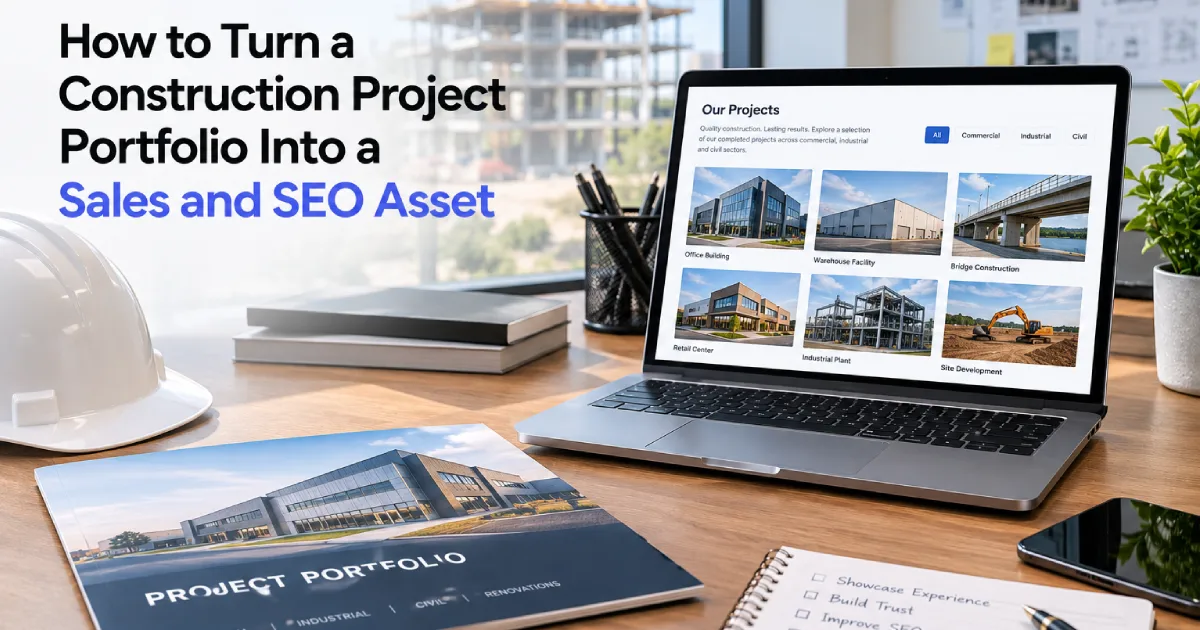
How to Turn a Construction Project Portfolio Into a Sales and SEO Asset
Most construction companies already have the raw material for some of their strongest website content: completed projects.
The problem is that many firms treat project portfolios as visual galleries rather than business-development assets. A typical construction portfolio might include:
- A project name
- Several photos
- Maybe a city
- Maybe a short caption
That is enough to show that work was completed, but it is often not enough to help a prospective client understand why that work matters.
A stronger project portfolio can do much more. It can help a potential client verify experience, reinforce specific services, demonstrate market expertise, support geographic relevance, improve internal linking, and give search engines far more context about what the company actually does.
The goal is not to turn every project into an exhausting case study; it is to make project content genuinely useful.
Why Project Portfolios Matter More Than Most Construction Companies Realize
Construction is a proof-driven business. A prospective client evaluating a contractor may want to know:
- Have you completed work like this before?
- Have you worked in this market?
- Have you handled this project scale?
- Do you operate in this region?
- Have you solved similar challenges?
- Can your team handle this type of scope?
A service page can say: “We provide commercial renovation services.” A project page can prove it.
That distinction matters. Services explain capability. Projects demonstrate experience. The strongest construction websites use both to build trust online and establish immediate credibility.
Why a Photo Gallery Is Usually Not Enough
Photography is one of the most valuable assets a construction company has. But an image does not explain itself.
A visitor looking at a completed building may not know:
- Whether your company was the general contractor
- Whether you handled only one trade
- What type of project it was
- What challenges were involved
- Whether the work was new construction or renovation
- Where the project was located
- What services were performed
Without that information, the project is visually impressive but strategically weak—one of the common construction website mistakes that leads to high bounce rates. A project portfolio should answer enough questions for someone to understand why the project is relevant.
What Should a Construction Project Page Include?
Not every project needs the same amount of detail, but a strong project page usually includes some combination of the following:
- Project Name: Use the actual project name where permitted.
- Location: City and state can be useful for both visitors and local relevance.
- Market: Clarify the sector (e.g., healthcare, education, industrial, hospitality, municipal, commercial, or multifamily).
- Services Performed: Be specific (e.g., general contracting, design-build, concrete, sitework, excavation, structural steel, renovation, preconstruction).
- Project Scope: Explain what the company actually did.
- Project Size or Value: Include this where appropriate and where disclosure is permitted.
- Timeline: Useful when schedule performance is part of the story.
- Challenge: What made the project difficult?
- Approach: How did the team solve the problem?
- Outcome: What was delivered?
- Photography: Use photography to support the story rather than replace it.
- Related Services: Connect the project to the services represented by the work.
- Related Projects: Help visitors continue exploring similar experience.
This structure provides critical context and matches the website features every construction company needs to engage decision-makers.
How Project Pages Support the Sales Cycle
Project content often plays a role late in the decision process. A prospective client may first discover the company through:
- Referral
- Search
- An industry association
- An advertisement
- Another project
- A partner
Then they visit the website to validate the company. At that point, project content becomes extremely important. A strong project page answers: “Have they done this before?” That answer is often far more persuasive than any marketing claim and prevents construction firms from losing RFQs because of their websites.
Connecting Projects Across Your Website Architecture
Use Projects to Support Specific Services
Projects should not exist separately from the rest of the website. A project involving commercial concrete work should reinforce the commercial concrete service. A healthcare renovation should support healthcare construction. A design-build project should support the design-build page.
Design-Build Service
↓
Relevant Project
↓
Related Market
↓
Contact
The relationship should work both directions: the project links to the service, and the service page links to relevant projects. That helps prospective clients explore proof immediately.
Use Projects to Support Markets
Construction companies often work across several industries and markets, including:
- Education
- Healthcare
- Industrial
- Retail
- Hospitality
- Municipal
- Commercial office
A market page should not simply say: “We have extensive healthcare construction experience.” It should showcase healthcare projects. That makes the claim tangible. The website becomes more credible when statements and proof are connected.
Use Projects to Support Location Relevance
Projects can also help demonstrate where a company works. Suppose a contractor wants stronger visibility in Baton Rouge. A generic location page may say: “We serve Baton Rouge and surrounding areas.”
That statement alone does not prove much. But if the site also contains:
- Baton Rouge school project
- Baton Rouge commercial renovation
- Baton Rouge healthcare facility
- Baton Rouge sitework project
The geographic relevance becomes much stronger. This is one reason project content supports natural search engine positioning, as detailed in our comprehensive construction SEO guide. The objective is not to force city keywords onto every page, but to show genuine experience in targeted markets.
How Project Content Supports Search Engines (SEO)
Most project pages will not become massive standalone traffic generators, but they can attract searches around project names, buildings, developments, locations, contractors involved, and specific facility types.
Project pages bolster your search presence in several ways:
- Reinforce Service Relevance: A service page about commercial renovation becomes stronger when connected to real renovation projects.
- Reinforce Market Relevance: A healthcare page supported by healthcare projects carries far more evidence than a market page standing alone.
- Reinforce Geographic Relevance: Work completed in specific cities demonstrates authentic local experience.
- Create Natural Internal Links: Projects tie disparate parts of the website into a cohesive topical cluster.
- Expand Topical Depth: The site begins to rank for the actual niche terminology of your trade, preventing the common pitfalls of why construction companies fail to rank on Google.
- Attract Natural Authority Links: Notable projects are frequently referenced by clients, architects, engineers, developers, and trade publications.
Professional construction SEO services ensure these project signals are properly indexed, structured, and leveraged across the entire domain.
Strategic Portfolio Management: Quality Over Volume
Avoid Thin Project Pages
A common mistake is creating hundreds of project URLs with almost no information: an “ABC Medical Center” headline, six images, one sentence, and zero context. If a company has hundreds of projects, that does not mean every project automatically deserves a standalone page.
A stronger system distinguishes between:
- Featured Projects: In-depth work with enough substance to support dedicated pages and case-study formatting.
- Standard Portfolio Entries: Mid-level projects with lighter copy but clear context, scope, and services.
- Gallery Items: Smaller work or legacy items grouped under shared pages without dedicated URLs.
The goal should always be quality and usefulness, not vanity page count.
Prioritize Work That Aligns With Future Goals
Prioritize projects that support the work the company wants to win next:
- Highest-value projects
- Strategic growth markets
- High-priority geographic regions
- Specialized technical services
- Notable or repeat clients
- Award-winning developments
A contractor trying to expand healthcare construction should prioritize healthcare projects over outdated work in markets it has phased out. The website should reflect future business goals, not just historical output.
Best Practices for Writing and Structuring Project Pages
1. Write for Buyers, Not Search Engines
Avoid awkward descriptions like: “Our Baton Rouge commercial construction company completed this Baton Rouge commercial construction project for a Baton Rouge client.”
Instead, write naturally:
“The team completed a phased renovation of the occupied healthcare facility while maintaining access to critical patient areas throughout construction.”
That sentence naturally communicates renovation experience, healthcare experience, occupied-site expertise, and operational coordination without keyword stuffing.
2. Show the Challenge, Not Just the Result
A finished photograph shows what the building looks like; the narrative explains why the result required real expertise. Highlight challenges such as:
- Occupied facilities
- Tight urban footprints
- Aggressive schedules
- Phased construction sequencing
- Active hospital environments
- Complex utility and mechanical coordination
- Historic preservation guidelines
- Severe supply chain constraints
3. State Your Role Clearly
Visitors should never have to guess what your company did. Be clear about whether you served as general contractor, construction manager, design-builder, specialty contractor, or concrete trade contractor.
4. Connect Projects to Similar Work
Keep visitors engaged by recommending related projects. A visitor reviewing a hospital renovation should easily click through to another healthcare facility or an occupied renovation in the same region, rather than backing out to the main directory.
5. Keep Filtering Practical
Filters should reflect how clients evaluate contractors (by market, service, location, or project type). Avoid dozens of redundant subcategories that dilute usability. Incorporating sound construction website UX best practices keeps portfolio navigation intuitive.
6. Avoid Overdesign
Construction project pages do not need distracting animations or experimental layouts. A clean layout focused on high-resolution photography, clear scope notes, related services, and a direct path to contact will always perform better.
Your Portfolio Must Be Easy for Your Team to Maintain
The best portfolio strategy will eventually fail if updating it requires developer intervention every time a job wraps up.
A high-performing website makes it effortless to input:
- Project title & location
- Market classifications
- Associated services
- Scope and challenge copy
- Image galleries
- Related case studies
When maintenance is seamless, the portfolio stays fresh. Masthead’s specialized project portfolio systems are engineered to make project storytelling structured, repeatable, and scalable as your firm expands.
How to Audit Your Existing Construction Portfolio
To transform your portfolio from a visual archive into a business development engine, ask these diagnostic questions:
- Can visitors tell what we did? If not, add scope and service details.
- Can visitors filter or find relevant experience? If not, refine your categories.
- Do projects link to services and vice versa? If not, build bidirectional links.
- Do projects demonstrate target markets? If not, prioritize case studies in those sectors.
- Are priority geographic regions represented? If not, publish local project profiles.
- Are the strongest projects easiest to discover? Reorder featured projects accordingly.
- Is the information current? De-emphasize work older than 10–15 years that no longer reflects your current capacity.
- Can the internal team publish updates without friction? If not, upgrade your underlying portfolio system.
A Better Construction Portfolio Structure
A modern project directory operates as a connected hub:
PROJECTS DIRECTORY
│
├── Filter by: Market | Service | Location
│
└── Individual Project Page
├── Project Overview & Fast Facts
├── Scope, Challenge & Solutions
├── Final Results & Photography
├── Related Services (Links to Service Pages)
├── Related Projects (Cross-links)
└── Clear Next Step / Call-to-Action
Behind the scenes, each project connects back into the broader website ecosystem:
Hospital Expansion
↓
Healthcare Construction (Market Page)
↓
General Contracting (Service Page)
↓
Lafayette, LA (Location Page)
↓
Related Case Studies
Your Completed Work Is Already Content
Construction companies often feel pressured to invent new website content from scratch. In reality, they are already sitting on years of compelling material. Every completed job contains a story, a service, a location, a market, an engineering challenge, and visual proof of expertise.
Investing in tailored construction website design services ensures your project portfolio stops acting like a passive gallery and starts working as a lead generation asset.
Your best work should not be buried in a visual gallery. It should help win the next contract. Explore our client case studies to see how structured portfolio systems drive qualified inquiries.